Use virtual environments
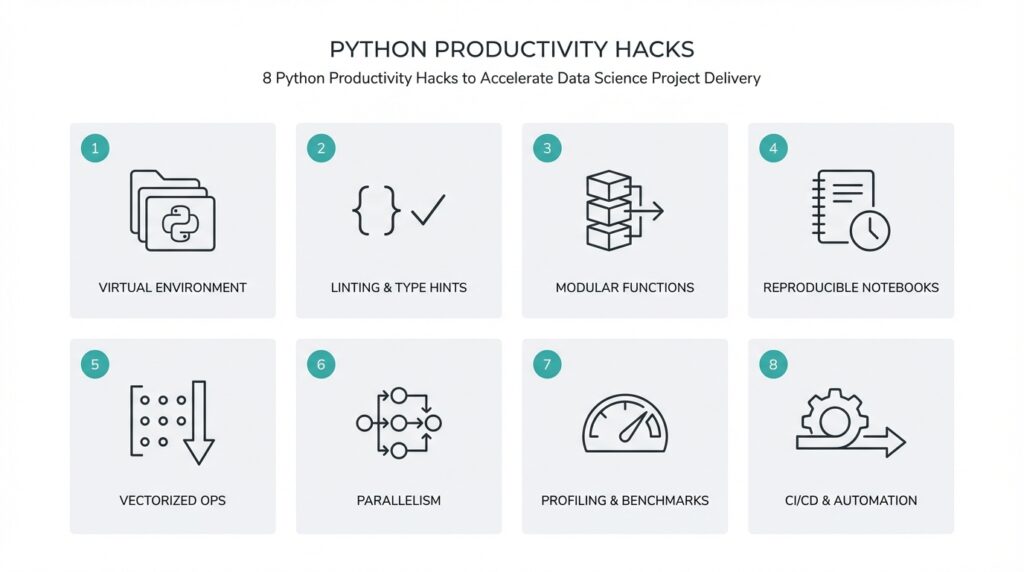
Keeping your project’s runtime predictable is one of the fastest wins for delivery velocity—virtual environments give you that predictability by isolating project-specific packages and Python versions from the global system. In practice, a virtual environment (an isolated Python runtime and site-packages tree) prevents dependency collisions when you switch between data pipelines, model training scripts, and serving code. Front-load dependency management early: create an environment when you scaffold a new project, record the Python version, and lock dependencies before you start exploratory analysis so experiments remain reproducible across machines and teammates.
Isolation reduces debugging churn and deployment risk. When two projects require conflicting native libraries or different major package versions, system-wide installs turn routine tasks into hours of troubleshooting; with environments, you target only the packages your project needs. That matters for C-extension packages common in data science—NumPy, SciPy, or libraries that build from source—because build artifacts and binary compatibility vary across Python builds and OSes. By pinning versions in a lock file and recording the interpreter version, you reduce “it works on my laptop” friction and accelerate handoffs between data scientists and engineers.
How do you choose between tools like venv, conda, and poetry for Python projects? Use venv (the standard library virtual environment) when you want a lightweight, OS-level isolated interpreter and are comfortable managing binary dependencies via wheels or system packages. Choose conda when you need cross-language package management (e.g., system C libs, MKL, CUDA toolkits) and consistent binaries across platforms. Consider poetry when you want integrated dependency resolution and a modern lockfile workflow (pyproject.toml + poetry.lock). Each tool supports the same core principle—environment isolation—but they trade off convenience, binary packaging, and cross-platform reproducibility.
Make the environment lifecycle explicit in your repo. Create a venv with python -m venv .venv, activate it, then install and freeze: pip install -r requirements.txt and pip freeze > requirements.txt. For conda workflows, create conda env export --no-builds > environment.yml to record package names and channels without machine-specific build hashes. If you use poetry, run poetry lock and commit poetry.lock alongside pyproject.toml. A lock file is a resolved snapshot of dependency versions; commit it so CI, collaborators, and deployment pipelines reproduce the exact dependency graph.
Integrate environments into CI/CD and container builds so the isolation you use locally matches production. In GitHub Actions, for example, use actions/setup-python to install the target interpreter, then recreate your virtual environment and install from the committed lock file; cache your package directories between runs to speed pipeline execution. When building Docker images for model serving, prefer multi-stage builds that install from your lockfile and avoid including dev dependencies in the final image. This alignment reduces drift between experimentation and production, shortens debug cycles, and makes rollbacks safer.
Adopt a few practical rules to keep environments maintainable: record the Python minor version (e.g., 3.10), commit a lock file, refresh dependencies on a schedule and test them in a dedicated branch, and include a reproducible setup script (or Makefile target) that recreates the environment. These steps make onboarding faster for new team members and prevent subtle, time-consuming issues that block delivery. Taking this approach now saves you repeated environment triage during tight release windows and sets the stage for the next productivity practice we’ll apply to streamline dependency-driven tasks.
Standardize project layout
Building on this foundation, a predictable repository layout is one of the fastest ways to reduce cognitive friction and speed handoffs in a data science project. Messy repos hide where experiments, production code, and deployment artifacts live; a consistent project layout makes it obvious where to run a training job, where tests live, and which files belong in the production image. Put plainly: a clear Python project layout shortens onboarding, reduces CI surprises, and keeps experiments reproducible across teammates.
Start with a few organizing principles so the structure scales as the work matures. Separate source code from ad-hoc exploration, treat notebooks as documentation and experimentation rather than production code, and keep generated artifacts, datasets, and models outside the main import path. These decisions enforce separation of concerns: your pipeline code can be imported and tested independently, while experimental analysis remains accessible without polluting the package namespace.
A concrete example makes this tangible. Consider the following minimal layout:
.gitignore
pyproject.toml        # or setup.cfg + requirements.txt
poetry.lock / requirements.lock
README.md
Makefile
data/                  # pointers, small fixtures (not raw datasets)
notebooks/             # exploratory notebooks
src/                   # importable Python package
src/project_name/
    __init__.py
    pipeline.py
    features.py
    model.py
tests/
scripts/               # one-shot scripts and CI entrypoints
artifacts/             # model checkpoints, serialized metrics (or external store)
This layout clarifies roles: src contains the production-quality Python package you can install in CI, notebooks hold iterative analysis, scripts expose convenience commands, and artifacts are treated as ephemeral outputs or pushed to an external object store. With this separation you avoid accidental imports from top-level notebooks and you make dependencies obvious to tooling that rebuilds environments from the lockfile discussed earlier.
Adopt the “src/” layout to prevent import-time surprises during testing and packaging. When you install the package in editable mode or run tests in CI, an explicit src top-level forces imports to go through the installed package namespace rather than shadowing local files—which is a common source of “it works locally but fails in CI.” Use pyproject.toml or setup.cfg to describe metadata and declare entry points for CLI tools, and keep your lockfile committed so environment recreation matches the dependency snapshot we covered before.
How do you keep notebooks useful without turning them into tangled scripts? Treat notebooks as narrative artifacts: parameterize and execute them reproducibly (for example with execution tools or papermill), extract business logic into modules under src, and keep small example datasets in tests or fixtures rather than embedding large raw files. For production pipelines, implement scripts that call the same functions your notebooks use; this reuse reduces duplication, simplifies unit testing, and makes CI coverage meaningful for both analysis and serving code.
Manage large artifacts and models deliberately so the repository stays performant. Avoid committing large binary checkpoints—use an artifacts directory referenced by your pipeline, store heavy objects in cloud object storage, and use content-hashed filenames or semantic versioning to track model lineage. Keep a small metadata file in the repo pointing to the canonical storage location and include lightweight manifests so CI and deployment automation can fetch the correct artifact deterministically.
Make the layout actionable by automating scaffold creation and checks. Provide a cookiecutter template or repository seed that initializes the tree above, add Makefile targets for common workflows (setup, test, lint, run-pipeline), and enforce structure with lightweight CI checks that fail the build on missing expected directories or on notebooks with hidden state. These conventions reduce debate, accelerate feature delivery, and set the team up to adopt further productivity practices.
By making the repository layout explicit and repeatable, you convert repository structure from an accidental pattern into a productivity asset. This disciplined layout works hand-in-hand with locked environments and CI to reduce friction when moving from exploration to production, and it prepares your codebase for scalable testing, deployment, and collaboration.
Write modular, reusable code
Building on this foundation of predictable environments and a standardized repo layout, the fastest way to reduce friction between experimentation and production is to design small, well-defined modules that you can compose and test independently. Start by treating each module as a miniature contract: a clear input, a predictable output, and no hidden side effects. This approach makes integration deterministic, reduces surprising runtime behavior, and creates a library of reusable components you and your team can depend on across notebooks, scripts, and production services.
The single-responsibility principle should guide your function and class boundaries. Break larger scripts into pure functions or thin classes that encapsulate one concept—data loading, feature transformation, model training, or evaluation—and keep I/O at the edges. How do you know when to split a function? If you need a different test harness, alternate inputs, or a different error-handling path for part of the logic, split it. Smaller units are easier to test, to mock in CI, and to reuse in different pipelines without copying code.
Make your package API explicit so consumers know what to import and rely on. Expose stable functions from a module-level API rather than encouraging deep imports into private helpers; use all or explicit exports in init.py to declare the public surface. For example, implement transformation functions in a features module and keep experiments referencing only project_name.features.transform:
# src/project_name/features.py
from typing import Sequence

def normalize(cols: Sequence[float]) -> Sequence[float]:
    mean = sum(cols) / len(cols)
    return [(x - mean) for x in cols]

# src/project_name/__init__.py
from .features import normalize
__all__ = ["normalize"]
This tiny pattern prevents accidental coupling to internal helpers and makes refactors safer because callers import a stable name rather than file internals.
Parameterize behavior instead of baking configuration into code. Use small dataclasses or typed configuration objects to pass runtime options and dependencies; this makes functions deterministic and friendly to unit tests. Inject side-effecting dependencies—file systems, HTTP clients, model stores—via parameters rather than globals, and prefer pathlib.Path for filesystem operations so you can swap in tmpdir fixtures in tests. For example, pass a storage client or a path object into the training function instead of letting the function construct it internally; that lets you reuse the same training logic in local experiments, CI, and production containers.
Testing is the engine that makes modular design pay dividends. Write focused unit tests for each exported function and use parametrized tests to exercise edge cases. Create small fixtures that represent canonical inputs (tiny datasets, serialized model checkpoints) and reuse those fixtures across test modules so your test suite documents intended behavior as much as it validates it. Mock external systems at the dependency boundary rather than inside the module so tests remain fast, deterministic, and supportive of rapid iteration in CI.
Package modules so reuse scales beyond a single repository. When a component becomes stable—say a feature engineering pipeline or a model evaluation metric—publish it as an internal wheel or a lightweight package, follow semantic versioning, and consume it as a dependency in downstream projects. This preserves the src/ layout benefits we discussed earlier and keeps build artifacts reproducible in environments. Modular packaging reduces duplicate logic, accelerates onboarding for new projects, and centralizes maintenance for shared functionality.
When you combine explicit APIs, parameterized configuration, dependency injection, focused tests, and packaged modules, you reduce duplication and accelerate delivery across the project lifecycle. These practices increase predictability for reviewers, make CI faster and more reliable, and turn one-off scripts into stable, reusable components that scale with the team. Taking this approach now ensures the next productivity hack you adopt will operate on a codebase designed for iteration rather than firefighting.
Vectorize and profile pipelines
Performance in data workflows often hinges on using vectorized operations and disciplined profiling across your pipelines. Vectorization—replacing Python-level loops with batch array operations that execute in optimized C/FORTRAN kernels—reduces interpreter overhead and unlocks SIMD and BLAS-backed speedups. Profiling, the act of measuring where your code spends time and memory, tells you which transformations to prioritize for optimization. How do you know where to vectorize, and when profiling will actually change your approach? Start by treating performance as a measurable, repeatable part of your development loop.
Building on our earlier emphasis on modular, testable code, you should isolate transform stages so each step is easy to benchmark. Encapsulate feature transforms and I/O in small functions or classes so you can run micro-benchmarks against them in isolation; this reduces noise from unrelated work when you profile. For example, compare a Python loop to a NumPy vectorized alternative to see the practical difference: the loop executes Python bytecode for each element, while a vectorized expression leverages optimized native code. Use representative sample sizes and warm-up runs so your measurements reflect realistic behavior rather than startup costs.
Profiling tools tell different stories, so pick the right one for the job. Deterministic profilers like cProfile give exact call counts and time per function while sampling profilers such as pyinstrument or perf reduce measurement overhead and surface hot call stacks quickly. Memory profilers (memory_profiler) reveal allocation hotspots, and line-by-line profilers (line_profiler) pinpoint expensive lines inside a function. When you profile, capture both wall-clock time and CPU time, and correlate that with memory and I/O metrics so you don’t optimize CPU-bound code that’s actually waiting on disk or network.
Instrumenting the pipeline itself makes comparisons meaningful across commits and machines. Wrap pipeline stages with lightweight timers or a context manager that records durations and resource usage to a structured log or test artifact; store those artifacts in CI so every PR shows a small performance delta for regressions. For example, add a simple timer context manager you reuse across transforms and training steps:
from time import perf_counter
from contextlib import contextmanager

@contextmanager
def timed(name, record):
    start = perf_counter()
    yield
    record[name] = perf_counter() - start
Run the pipeline with a reproducible fixture dataset and commit the fixture to tests so you can compare before/after numbers deterministically.
Concrete examples make these choices concrete. In pandas, avoid column-wise apply with Python functions when you can use vectorized arithmetic, built-in string methods, or groupby.transform. For instance, df['x2'] = df['x'] ** 2 is implemented in C and will outperform df['x'].apply(lambda v: v**2) by orders of magnitude at scale. Similarly, prefer pd.concat over row-wise appends, and replace row-level JSON parsing loops with vectorized json_normalize or faster bulk parsers. When vectorization isn’t possible, consider NumPy ufuncs, Numba for JIT-compilation of hot loops, or moving heavy transforms into compiled libraries we can import and test independently.
The practical payoff is twofold: faster iteration locally and safer performance in production. Treat profiling results as part of your code review checklist, add micro-benchmarks to CI for critical transforms, and version performance artifacts alongside code changes. Taking these steps now complements the reproducible environments and modular layout we discussed earlier and prepares you to scale into batching, parallelism, or optimized serving strategies. In the next section we’ll examine how to safely parallelize those optimized stages without introducing nondeterminism or excessive I/O contention.
Track experiments and data versions
Building on this foundation of reproducible environments, standardized layout, and modular code, one of the fastest ways to reduce delivery friction is to make experiments first-class, auditable artifacts. You know the problem: multiple teammates run the “same” experiment and get different metrics, or a model in production can’t be traced back to the dataset that produced it. Treating experiments and datasets as versioned, queryable objects removes that ambiguity and lets us move from guesswork to data-driven decisions. This practice directly accelerates delivery because it shortens the investigation loop when results diverge or regressions appear.
Experiment tracking and data versioning are complementary controls that ensure reproducibility and traceability across the lifecycle. Experiment tracking records who ran what, which code commit was used, hyperparameters, random seeds, and evaluation metrics; data versioning records the exact dataset slice or artifact that was consumed (typically via content hashes or semantic versions). Together they give you the minimal set of provenance you need to reproduce a run deterministically on another machine or in CI. How do you choose what to track first? Start with immutable pointers: commit hash, data hash, environment spec, and model artifact location.
Concretely, we log a short structured metadata record alongside each run so pipelines and humans can answer core questions quickly. That record should include experiment id, git commit, pipeline tag, data snapshot id, dependency lockfile checksum, hyperparameters, key metrics, and a stable URI to the serialized model artifact (object store path or model registry entry). Storing these fields as JSON in a small metadata table or ML metadata store makes it trivial to query “which training runs used dataset X and achieved >0.8 F1?” and to replay them. Recording environment details we already lock earlier—Python version, package lockfile, and container image digest—closes the reproducibility loop.
Practically, combine a lightweight experiment tracker with a data versioning layer and embed them in your training script and CI. For example, call a logging API at the end of your training job and capture the git commit and data snapshot id; for data you can use a content-hash workflow (e.g., DVC or Git-LFS style patterns) to produce a data snapshot id. Minimal example with an experiment logger and data snapshot:
# pseudocode
from tracker import log_run
snapshot = create_data_snapshot("data/raw.csv")  # returns content-hash id
metrics = train_model(dataset="data/raw.csv")
log_run(commit=git_commit(), data_id=snapshot, params=cfg, metrics=metrics)
This pattern makes replay as simple as checking out the commit, fetching the data snapshot by id, and running the logged command or container. Embedding the same calls in your orchestration (Dagster, Airflow, or simple Makefile targets) ensures that ad-hoc experiments and scheduled runs produce comparable provenance.
Integrate experiment tracking and data versioning into CI/CD and your model promotion flow so experiments move through staging to production with clear gates. Use automated checks that validate the logged metadata, compare metric deltas against a baseline, and verify the data snapshot exists in long-term storage; fail the promotion if any link in the provenance chain is missing. When promoting a model, tag the registry entry with the exact data snapshot id and commit so rollbacks and audits become deterministic. This automation reduces manual verification work and speeds approvals because reviewers can reproduce the claim in a few scripted steps.
When you make experiment tracking and data versioning routine, they become tools for faster debugging, safer releases, and better collaboration. Teams spend less time asking “which data produced that accuracy?” and more time iterating on meaningful changes. As we move to parallelize and scale transformations, this provenance foundation preserves determinism and makes distributed experiments auditable and comparable—so we can safely optimize for throughput without losing the ability to reproduce results.
Automate testing and CI/CD
Every time a late-night fix or a bumped dependency causes a model to fail in production, you pay for manual testing and firefighting with lost delivery velocity. Automating test automation and CI/CD pipelines upfront prevents those interruptions by making quality checks repeatable, fast, and visible. Front-load automated checks into every pull request so you catch regressions before they block reviewers, and align your pipeline with the reproducible environment and src/ layout we established earlier to eliminate “works on my machine” surprises.
Start by sculpting a pipeline that mirrors how your code runs in production: fast unit tests, a small set of integration tests against lightweight mocks or ephemeral services, and a curated end-to-end smoke test that validates core behavior. This sequencing enforces the test pyramid—many quick unit tests at the base, fewer but higher-value integration and e2e checks at the top—so your CI feedback remains rapid while still protecting critical paths. Use separate pipeline stages for linting, type-checking (mypy), and static analysis so those failures are trivial to triage and fix in a single commit.
Make tests deterministic and fast so they become a developer tool, not a gating cost. Isolate external I/O with dependency injection, use fixtures for canonical sample datasets, and mock heavy services (object storage, databases) at the boundary. Parametrize tests to cover edge cases without duplicating logic, and mark slow or flaky tests so they run in a nightly job instead of every PR. For example, run pytest with coverage tracking in CI:
pytest -q --maxfail=1 --cov=src/project_name tests/
That single command fits cleanly into a CI job and produces the metrics you and reviewers expect.
Speed is a system property of pipeline design, so optimize the CI platform as you would application code. Cache package installs and virtualenvs, reuse container layers that install dependencies from your committed lockfile, and parallelize independent test modules (pytest-xdist) to reduce wall-clock time. When your tests still need heavyweight integration, run them against ephemeral infrastructure spun up via docker-compose or testcontainers so tests remain isolated and reproducible. These optimizations reduce CI flakiness and make test results reliable signals for deployment decisions.
Quality gates should encode the release policy you want: block merges on failing unit tests, require passing integration checks for model artifact changes, and fail promotions when data snapshot ids or experiment metadata are missing. How do you know when to promote a model from staging to production? Enforce automated checks that compare current metrics to a baseline, validate the recorded data snapshot exists, and verify the image digest and dependency lockfile checksum match the promoted artifact. Automating these gates shortens approvals and reduces manual audit work.
Tie CI checks to the experiment tracking and data versioning we previously made first-class. Embed provenance assertions in test suites so CI fails if the training job’s metadata lacks a commit hash, data snapshot id, or model artifact URI; this makes regressions and reproducibility bugs obvious during review. A small test might assert the dataset manifest contains the expected content-hash or that the model registry entry is reachable—these deterministic checks prevent costly “which data produced that accuracy?” investigations downstream.
When you treat automated testing and CI/CD as an integrated productivity tool rather than an overhead, you shift velocity from firefighting to iteration. Automate quick, deterministic tests in PRs, run heavier validations in scheduled pipelines, enforce promotion gates based on provenance and metrics, and optimize CI performance with caching and parallelization. Taking these steps now makes releases predictable and gives you the confidence to scale into parallelized execution and optimized serving without sacrificing reproducibility or auditability.