Memory Drivers Explained
Building on this foundation, the easiest way to think about GPU memory requirements for large language models is to picture a workbench with several piles on it at once. Some memory holds the model itself, some holds temporary work-in-progress, and some is reserved for speeding up future tokens. That is why the same model can feel comfortably sized in one setup and strangely cramped in another. Why does the same model fit on one GPU and overflow on another? In practice, the biggest drivers are model weights, activations, the key-value cache, and—during training—optimizer state.
The first pile is the model weights, which are the learned parameters that store what the model has absorbed during training. Think of them like the pages of a recipe book: the more pages you have, the more shelf space you need. Their memory footprint rises with parameter count, and it also changes with precision, meaning the number format used to store each value. NVIDIA’s documentation shows that FP8 (8-bit floating point) uses less memory than BF16 (bfloat16, a 16-bit format), and quantized weights reduce the model memory footprint even further.
Next come activations, which are the temporary values a model creates while it is working through a prompt or learning from data. If weights are the recipe book, activations are the notes you scribble while cooking. They matter most during training, because the model needs those saved values later to compute gradients, which are the signals used to update the weights. NVIDIA notes that long sequence lengths and larger micro-batches can quickly saturate device memory, and that recomputing activations can trade extra compute for lower memory use.
Then there is the key-value cache, often shortened to KV cache. This is the memory that stores attention history so the model does not have to recalculate everything for every new token. During inference, the cache grows layer by layer as the conversation gets longer, so a longer context length means more GPU memory pressure. Hugging Face’s documentation explains that caching keeps generation efficient, but memory grows linearly with sequence length, and NVIDIA’s NIM docs show how operators carve out GPU memory specifically for the KV cache alongside the model weights and intermediate results.
Training adds one more major memory driver: optimizer state. An optimizer is the algorithm that updates the weights, and it often keeps extra copies or running statistics to do that job well. In plain language, this means training usually needs more memory than inference, because the GPU is not only holding the model and activations but also the bookkeeping needed to improve the model. NVIDIA’s Megatron-Bridge documentation says its distributed optimizer shards master parameters and optimizer states across GPUs to reduce model state memory, which is one reason large training runs can scale at all.
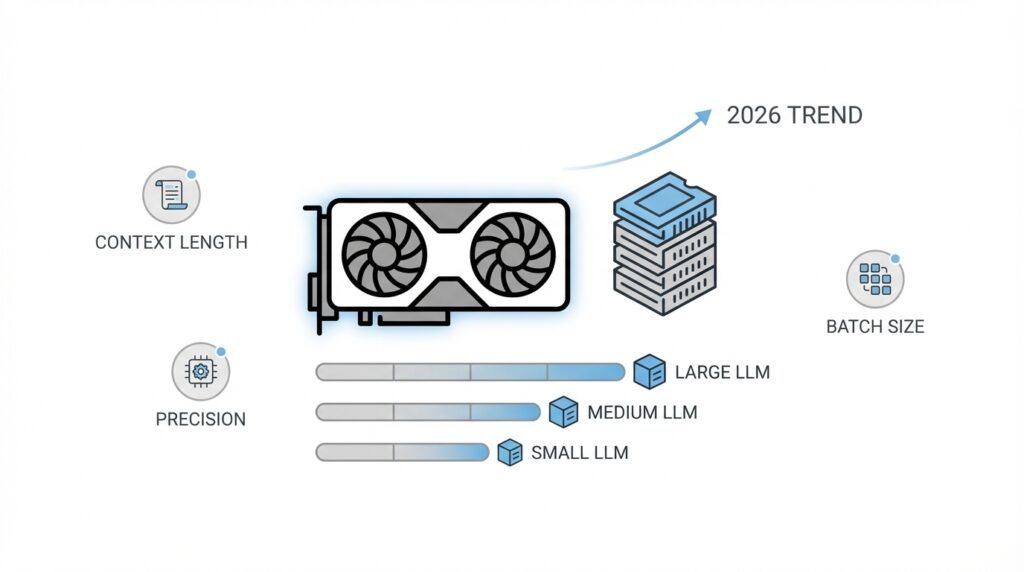
So the real answer to GPU memory requirements for large language models is less about one giant number and more about which knob is turning at the moment. If you raise context length, the KV cache grows; if you raise batch size or sequence length during training, activations swell; if you keep higher precision weights, the model itself gets heavier; and if you are training, optimizer state joins the party too. Once you can name the driver, you can usually choose the right fix—lower precision, smaller batches, recomputation, or a more memory-aware serving stack—and that gives us a much clearer path for estimating the total footprint ahead.
Weights, Activations, and Cache
Building on this foundation, the cleanest way to think about GPU memory for large language models is to separate what stays put from what keeps moving. The weights are the model’s learned parameters, so they behave like the furniture in a room: they are there from the moment the model loads until the moment it leaves the GPU. Activations and the KV cache are more like the papers piling up on the desk while the work is underway. Once you see that difference, the memory question becomes less mysterious: which pile is fixed, and which one grows as you ask for longer answers or deeper training steps?
The weight pile is the easiest one to budget because it scales with parameter count and precision, meaning the number format used to store each value. Lower-precision storage such as BF16, FP8, int8, or int4 reduces the model’s footprint, and quantization is the umbrella term for that kind of compression. That is why weight-heavy models often become much more manageable when you move away from full precision: you are not changing what the model knows, only how much space that knowledge occupies.
Activations are the next piece, and they are usually the reason training feels far tighter than inference. These are the intermediate values the model creates during the forward pass, and PyTorch notes that autograd, the system that computes gradients, keeps many of them around for the backward pass. As depth, batch size, and sequence length grow, activation memory rises with them, which is why long-context training can run out of room even when the weights themselves look reasonable. Activation checkpointing helps by discarding some saved tensors and recomputing them later, trading extra compute for lower memory use.
Then comes the KV cache, short for key-value cache, which is the model’s short-term memory during generation. Instead of recalculating attention history for every new token, the model stores those keys and values and reuses them, which keeps decoding fast. The tradeoff is that the cache grows as generation progresses, and Hugging Face documents that this growth can become a bottleneck for long-context generation because memory usage increases with sequence length. If you have ever wondered, ‘Why does a chat that was fine at first suddenly start feeling expensive?’ this cache is often the answer.
Taken together, these three drivers explain most GPU memory requirements in large language models. Weights give you the baseline cost, activations add the training-time surge, and the KV cache stretches the serving-time footprint as conversations get longer. That is also why the right fix depends on the problem in front of you: quantize or lower precision when weights are the bottleneck, shorten sequences or use checkpointing when activations are the problem, and choose a cache strategy that matches your context length when inference is cramped. Once you can name the pile that is growing, the path forward becomes much easier to see.
Estimate Per-Token Footprint
Building on this foundation, the next question is no longer, “How big is the model?” It becomes, “How much does each new token add?” That per-token footprint is the piece that tells you whether a long chat, a busy serving queue, or a wide batch will stay comfortably inside GPU memory or quietly push you over the edge. If weights are the furniture and activations are the work-in-progress papers, the per-token footprint is the extra stack of notes that appears every time the model speaks one more word.
For inference, the main thing growing with each token is the key-value cache, or KV cache, which stores attention history so the model does not have to rebuild it from scratch. A key is the piece of information the model uses to ask, “What should I pay attention to?” and a value is the content it wants to reuse later. That means the per-token footprint is not random; it is tied to the model’s architecture, especially the number of layers, the number of attention heads, and the numeric precision used to store those cached values. In other words, every new token leaves a small memory trail behind it.
So how do you estimate GPU memory requirements before deployment? Start with the simplest mental model: one token adds a small cache entry in every layer, and each entry holds both a key and a value. If you increase the number of layers, the footprint rises. If you increase the batch size, the footprint rises again because you are tracking more sequences at once. If you keep higher-precision numbers such as BF16, meaning bfloat16, a 16-bit storage format, the cache uses more space than it would with FP8 or other lower-precision formats. The recipe is not mysterious; it is the same pattern repeated many times across the model.
A practical estimate usually begins with the model configuration. You look up the layer count, hidden size, attention head count, and whether the model uses grouped-query attention, which shares parts of attention across heads to save memory. Then you combine that with the context length you expect to support, because each additional token extends the cache for every active sequence. Think of it like reserving parking spots: one car does not matter much, but a full lot of cars changes the equation fast. This is why a model that handles short prompts well can feel very different once you ask it to hold a long conversation or serve many users at the same time.
The good news is that per-token footprint is one of the most useful numbers you can estimate early, because it tells you where the pressure will show up first. If the cache is the bottleneck, you can shorten context, reduce concurrent requests, switch to lower-precision cache storage, or use serving features such as paged attention, which manages cache blocks more efficiently. If the model still fits but the margin is thin, that warning is valuable too: it tells you to leave room for temporary spikes instead of planning around the absolute limit. Once you can estimate the per-token footprint, you are no longer guessing—you are budgeting, which makes the rest of GPU memory planning much easier to reason about.
Choose Precision and Quantization
Building on this foundation, the next choice often decides whether a model feels comfortably sized or stubbornly oversized: precision and quantization. If memory is the room, precision is the size of each box you place inside it. Lowering precision means storing numbers in a smaller format, and quantization means compressing those numbers so the model takes up less GPU memory. For GPU memory requirements for large language models, this is one of the first knobs you should reach for because it can shrink the footprint without changing the model’s overall shape. How do you choose the right format? The honest answer is that you start with the smallest option that still preserves the quality you need.
Before we go further, it helps to separate the common formats you will see. BF16, or bfloat16, is a 16-bit number format that keeps training and inference stable for many models. FP8, or 8-bit floating point, uses even less memory and is often attractive when your hardware and software stack support it well. Int8 and int4 are quantized formats, meaning the model’s numbers are stored in 8 bits or 4 bits instead of full precision. That is the basic tradeoff: smaller numbers save memory, but smaller numbers also give the model less room to represent detail. In practice, that means precision and quantization are not just about fitting the model onto a GPU; they are about fitting it without dulling the model’s behavior.
This is where the story becomes practical. Suppose you are deploying a chat model and the weights fit only after you switch from BF16 to a lower-precision format. That change can free up enough memory for a longer context window, a larger batch, or a healthier margin for the KV cache, which is the model’s stored attention history. On the other hand, if you are training, the choice is more delicate because activations, gradients, and optimizer state are all competing for space too. That is why many training setups keep a safer format for the parts that need stability, while inference deployments often push harder into quantization. The goal is not to make everything as small as possible; the goal is to spend memory where it matters most.
When should you choose quantization over lower precision alone? A useful rule of thumb is to ask whether the weights are the main bottleneck. If the answer is yes, quantization can deliver a dramatic reduction in GPU memory requirements for large language models, especially when you are serving many copies of the same model or running on limited hardware. But if your problem is mostly activations during training, quantizing the weights alone may not solve the pressure you feel. That is why it helps to think in layers: weights first, then activations, then cache. Once you know which pile is causing trouble, you can match the format to the problem instead of guessing.
The safest way to make this choice is to test in the order of least risk. Start with BF16 or FP16, which many teams treat as a reliable baseline, then move to FP8 or int8 if the hardware, framework, and model quality allow it, and consider int4 when memory is extremely tight and the use case can tolerate a little more compromise. You are not trying to win a contest for the smallest number; you are trying to leave enough room for the model to breathe. If the model still behaves well after quantization, you have turned a cramped deployment into a workable one. And if quality drops too far, that is still a useful result, because it tells you the memory savings came at too high a cost for that particular workload.
Plan Context and Batch Size
Building on this foundation, context length and batch size are the two knobs that most often decide whether a GPU feels spacious or suddenly overcrowded. If the model weights are the furniture and the cache is the stack of papers that grows while you work, then context length is how long your conversation stays open on the desk, and batch size is how many conversations you try to manage at once. That is why GPU memory requirements for large language models can change so sharply from one setup to another, even when the model itself never changes. What causes that jump? Usually, it is not the model getting bigger; it is the workload asking the GPU to hold more at the same time.
Context length is the first piece to picture clearly. It means the number of tokens, or small chunks of text, that the model can consider at once, including both what you already typed and what it is about to generate. A longer context length is like giving the model a bigger notebook, which sounds helpful until you realize every extra page needs to stay open in memory. During inference, that extra space mostly shows up in the KV cache, the stored attention history we discussed earlier, so longer conversations steadily increase memory pressure. In plain terms, asking for a 4,000-token prompt is not the same as asking for a 32,000-token prompt, even if the sentence that starts the request looks identical.
Batch size is the second piece, and it matters because it changes how many sequences the GPU handles in one pass. In training, batch size is often split into micro-batches, which are smaller groups processed before gradients are combined; gradients are the update signals that tell the model how to learn. Think of batch size like carrying grocery bags: one bag is manageable, but ten bags at once require much more space on the counter and much more room in your hands. Larger batch sizes usually improve throughput, or how much work the GPU completes per second, but they also raise activation memory, which is the temporary working space the model creates while processing data. That is why a training run can look fine with a small batch and then fail the moment you try to scale it up.
Now that we understand both knobs, the important part is seeing how they interact. A long context length and a large batch size do not add pressure in a polite, linear way that always feels predictable to a beginner; they can combine and crowd the GPU much faster than expected. If one sequence already needs a large KV cache, then multiplying that by several sequences at once quickly changes the math. In training, the same idea applies to activations: each sample in the batch needs its own temporary space, so a wider batch can push memory use over the edge even when the weights themselves are unchanged. This is why GPU memory planning is less about one number and more about choosing the right balance.
So how do you plan context and batch size without guessing? Start with the real user experience you want to support, not the largest theoretical number you can imagine. If your application is a chat assistant, ask how long the average conversation needs to be before it becomes awkward to trim memory for performance. If you are training, ask how much batch size you need for stable optimization, then see whether you can reach that target through gradient accumulation, which is a method that simulates a larger batch by combining several smaller steps before updating the model. That approach often lets you preserve model behavior while staying within GPU memory limits.
A practical rule is to treat context length as the cost of memory over time and batch size as the cost of parallel work. Longer context makes each sequence heavier, while larger batch size multiplies how many of those heavy sequences you carry together. When either one grows, the safest move is to test with a margin instead of planning right up to the edge. Leave room for temporary spikes, software overhead, and the small surprises that always show up in real deployments. Once you can estimate both context and batch size together, GPU memory requirements for large language models stop feeling like a mystery and start feeling like a budget you can actually manage.
Scale with Offload and GPUs
Building on this foundation, offload and multi-GPU scaling are the escape hatches you reach for when GPU memory requirements for large language models stop being a sizing problem and start being a placement problem. At that point, the question is no longer, “How do we make this smaller?” It becomes, “What can stay on the GPU, what can move away for a moment, and what should be split across several cards?” In practice, offload means moving weights or other state to CPU or even disk when they are not actively computing, while multi-GPU sharding means dividing the model so each GPU holds only a slice of the load.
Offload is the gentler first step because it lets you keep the model intact while borrowing space from somewhere slower. Hugging Face Accelerate can offload models to CPU or disk, and its dispatch_model and load_checkpoint_and_dispatch paths can spread layers across GPUs, CPU memory, or disk when a device_map runs out of room. That is helpful when the model fits almost everywhere except the last few layers, or when the KV cache is the real pressure point and you want to protect the hottest GPU memory for active work. The tradeoff is real, though: every time data crosses from GPU to CPU or disk, you pay in transfer overhead and latency.
Why does offload help so much at first, but then slow things down? Because it solves the memory problem by adding a commute. NVIDIA’s KV cache offloading guidance says offloading to CPU or storage is most effective when the cache exceeds GPU memory and when cache reuse is worth the transfer cost, especially for long sessions and high-concurrency serving. That makes offload a smart bridge for long-context inference, where keeping old attention history alive is cheaper than rebuilding it, but it is not a free lunch; once the traffic gets heavy, the transfer path can become the bottleneck.
When you need a more durable fix, multiple GPUs become the cleaner answer. Tensor parallelism splits the work inside a layer across devices, so one GPU no longer has to carry every matrix by itself, and PyTorch’s tensor parallel docs recommend combining column-wise and row-wise sharding for transformer-style models. Pipeline parallelism takes a different route: it assigns whole stages or layers to different GPUs, which helps when the model is deep and you want to spread both memory and compute across devices. The big win is that per-GPU memory drops, but the cost is more communication, so this approach works best when you want sustained throughput rather than a one-time emergency fit.
Training adds one more layer to the story because the model is not only being read; it is being updated. PyTorch FSDP, or Fully Sharded Data Parallel, shards parameters, gradients, and optimizer state across workers, which lowers the memory each GPU must hold at once, and it can also offload parameters to CPU when configured to do so. In plain language, training scaling is less like lending a shelf and more like splitting the whole library into smaller branches. That is why FSDP is such a common answer when a training run fits conceptually but not physically.
The practical choice is easier than it first appears. If you are trying to make a model fit quickly, offload is the fastest lever because it preserves the model structure and buys you space right away. If you are trying to serve or train at scale for a long time, sharding across GPUs is usually healthier because it reduces repeated transfers and gives the workload a steadier home. And if the KV cache is what keeps overflowing, cache offload or a serving stack that manages cache movement intelligently can be the difference between a model that stalls and one that keeps answering smoothly.
So the useful habit is to ask what is heavy, what is hot, and what can be moved. We keep the hottest tensors closest to the GPU, push the colder pieces outward, and split the true giants across cards when the workload asks for more than one device can hold. Once you think in those layers, scaling stops feeling like a panic move and starts feeling like a deliberate layout choice.