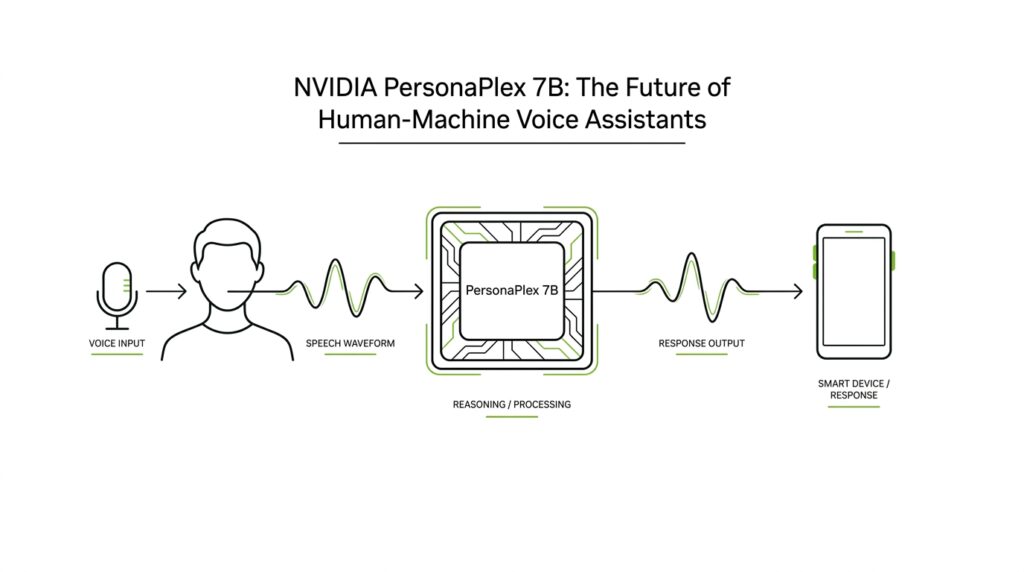
PersonaPlex 7B Overview
If you’ve ever asked a voice assistant a question and heard it pause too long, PersonaPlex 7B feels like the moment the conversation starts breathing. This NVIDIA research model is a 7-billion-parameter system—meaning it has 7 billion learned settings—that aims to combine natural speaking rhythm with role control, so the same model can sound like a helpful assistant, a support agent, or another persona described in text. What makes PersonaPlex 7B different from a standard voice assistant? It is built for full-duplex conversation, which means it can listen and speak at the same time instead of waiting for each turn to finish.
That difference matters because many older voice systems use a cascade: automated speech recognition (ASR), a language model (LLM), and text-to-speech (TTS). ASR turns speech into text, the LLM decides what to say, and TTS turns the answer back into audio, but each handoff adds delay and can make the exchange feel stitched together. PersonaPlex 7B tries to collapse that chain into one streaming model, so the response can begin while you are still talking and can handle pauses, interruptions, and backchannel cues like “uh-huh.” In other words, it is designed to feel less like filling out a form and more like talking to someone who is actually following along.
PersonaPlex 7B also uses two ingredients to shape the conversation. A voice prompt is an audio example that teaches the model the sound of a voice—its timbre, pace, and prosody, which means the rhythm and melody of speech—while a text prompt describes the role, background, and context in plain language. NVIDIA calls this a hybrid prompting approach, and it is the key to keeping one persona consistent across a whole exchange. That is why the model can be steered toward a wise teacher, a customer service agent, or a fictional character without losing conversational flow.
Under the hood, PersonaPlex 7B builds on the Moshi architecture from Kyutai and uses a speech encoder, temporal and depth transformers, and a speech decoder operating at a 24 kHz sample rate. Those terms sound heavy, but the practical idea is simple: one part turns audio into tokens, the middle tracks what is happening over time, and the final part turns the answer back into speech. NVIDIA trained it on a mix of real conversations and synthetic dialogues, including 7,303 Fisher English conversations and large sets of assistant and customer-service roleplay data, so the model could learn both natural interruptions and task-following behavior.
If you are trying to understand the bigger picture, PersonaPlex 7B is NVIDIA’s answer to a long-standing trade-off in voice AI: you could have natural conversation, or you could have customizable voice and role control, but not both at once. The model’s design shows that a voice assistant can be responsive, role-aware, and emotionally fluent without falling back to the stop-start feel of older systems. NVIDIA has released the code and model weights, which makes this more than a demo; it is a concrete foundation for the next stage of human-machine voice assistants. That is the real story here, and it sets us up nicely for the deeper mechanics that follow.
Check Model Access
After you learn what PersonaPlex 7B can do, the next question is the practical one: can you actually get your hands on it? The answer is yes, but the path is a little more structured than clicking a random download button. NVIDIA publishes the project page with links to the paper, the model weights, and the code, while the Hugging Face model card shows the weights are public-facing but gated behind access conditions. That means you are not looking at a closed demo; you are looking at an openly shared model with a small doorway at the front.
The first thing to notice is that code access and weight access are not the same thing. The GitHub repository says the code is under the MIT license, while the model weights are released under the NVIDIA Open Model License. The Hugging Face page adds another layer: you need to agree to share your contact information, then log in or sign up before you can review the conditions and access the files. In plain language, the code lives in the open, but the weights ask you to slow down, read the terms, and identify yourself before you step through.
So what does that look like in practice? You start with a Hugging Face account, accept the PersonaPlex license, and then set up authentication with your Hugging Face token, which the GitHub README shows as HF_TOKEN. After that, the repository gives you a path for live interaction through the server launch command and a separate offline path for evaluation with an input WAV file and an output WAV file. In other words, once access is approved, the model is not hiding behind mystery software; it is organized into a workflow you can actually follow.
This is also the point where hardware matters, because access is not just a legal question but a running-it question. The Hugging Face card lists NVIDIA A100 and H100 support, Linux as the preferred operating system, and 24 kHz audio input and output. It also notes that no inference provider is currently listed for the model, which suggests you should expect to run PersonaPlex 7B yourself rather than treat it like a hosted API endpoint. If you were hoping for a one-click web service, the model card tells a different story: this is a model you access, then operate.
That distinction is easy to miss, but it matters for the rest of the journey. When people ask, “How do I get access to PersonaPlex 7B?” they are usually asking two questions at once: am I allowed to use it, and can my setup support it? The first answer lives in the license gate, and the second answer lives in your runtime, GPU, and audio pipeline. Once you’ve cleared both, you are ready for the fun part—trying prompts, voices, and conversation styles without wondering whether the door was open in the first place.
Prepare Voice Prompts
Once you have the model running, the next job is to give it a voice worth keeping. What does it mean to prepare voice prompts for PersonaPlex 7B? In this model, you do not hand it one magic sentence and hope for the best; you pair a voice prompt with a text prompt. The voice prompt is the audio guide that shapes the sound, while the text prompt explains the persona, role, background, and scenario. Think of the two prompts as the accent and the script arriving together, so the assistant knows both how to sound and what part to play.
The easiest place to start is the voice sample itself. The official paper describes it as a short speech sample, and the model card says it becomes a sequence of audio tokens that steer the target voice. A practical first pass is a clean, single-speaker clip with steady pacing and as little background noise as possible, because the model is listening for the voice, not the room. If you want a safer test drive before using your own audio, NVIDIA also provides preset natural and varied voices in the repo, which makes PersonaPlex 7B easier to explore without building everything from scratch.
Then comes the text prompt, where you tell the model what kind of character it is stepping into. NVIDIA’s examples lean on plain language: a wise, friendly teacher for general Q&A, or a customer service agent with a company name, a job title, and a few concrete facts to remember. That style matters because the prompt is not poetry; it is a compact scene description. If you are building an open-ended assistant, the repo even suggests a simple starter line about enjoying good conversation, which gives the model a stable conversational posture without overloading it.
When you combine the two, order and clarity start to matter. The paper explains that the hybrid system prompt is made of two temporally concatenated parts, and NVIDIA’s implementation places the voice prompt first so it can prefill efficiently when zero-shot voice cloning is not needed. That is useful to know if you are prototyping, because the voice prompt is doing the acoustic work and the text prompt is doing the role work. If you think about it like costume and script, the order becomes easier to remember: first the voice that carries the character, then the words that define the scene.
The best workflow is to start small and make one change at a time. Pick one voice, write one clear role prompt, run a short test, and listen for whether the model sounds consistent from the first reply to the last. The model card notes 24 kHz audio input and output, and the repo supports both live interaction and offline evaluation, so you can refine prompts without guessing blindly. That is the real trick here: a good voice prompt gives PersonaPlex 7B a stable sonic identity, and a good text prompt keeps that identity anchored to a useful job. Once those two pieces fit together, the conversation has room to feel alive.
Run Full-Duplex Inference
Once the prompts are in place, full-duplex inference is where PersonaPlex 7B stops feeling like a model and starts feeling like a conversation partner. Instead of waiting for you to finish every thought, the system listens and speaks at the same time, updating its internal state as your audio comes in while it produces its own response. That concurrent loop is what lets it handle interruptions, overlaps, barge-ins, and fast turn-taking without the stiff pause that older voice systems often create.
If you are wondering, “How do I actually run PersonaPlex 7B full-duplex inference?”, the official repo gives you a very practical path. First you install the code, accept the model license, and set your Hugging Face token in HF_TOKEN; then you can launch the live server with python -m moshi.server --ssl ... and open the web UI locally at localhost:8998. The repository also notes the Opus audio codec development library as a prerequisite, which matters because the model is working with speech audio, not plain text.
Under the hood, the live loop is built around streaming audio rather than a stop-and-start request. The model card says PersonaPlex 7B takes text prompts and user speech as input, accepts 24 kHz audio, and returns both agent text and agent speech at the same rate. It also describes the model as predicting text tokens and audio tokens autoregressively, which means it generates the response in small steps based on what it has already seen, instead of waiting for the whole interaction to close. That is the quiet trick behind full-duplex inference: the assistant can keep listening while its next words are already forming.
When you do not want a live browser session, the offline path is the cleanest way to test PersonaPlex 7B. The repo’s offline script streams in an input WAV file and writes out an output WAV file, and it even includes separate assistant and service examples so you can test different prompting styles without rebuilding the whole setup. That is especially useful when you are tuning a voice prompt or checking whether a persona stays stable from the first reply to the last. In practice, this is the safest way to debug because you can replay the same audio over and over while changing only one variable at a time.
Hardware is the part that keeps this story grounded. The model card lists NVIDIA A100 and H100 support, Linux as the preferred operating system, and it says the model is not currently deployed by an inference provider, so you should expect to run it yourself rather than call a hosted endpoint. If your GPU runs short on memory, the repo suggests the --cpu-offload flag, which shifts some model layers to the CPU, and it also mentions a CPU-only path for offline evaluation. That does not make the setup tiny, but it does make the workflow flexible enough for experimentation.
The main thing to notice is that PersonaPlex 7B full-duplex inference rewards a careful setup, but it pays you back with a more human rhythm. You give it clean audio, a clear persona, and enough room to listen while it speaks, and it can respond in a way that feels less like a queue and more like a shared moment. Once you have that loop running, you are no longer testing a text model with audio bolted on; you are testing a voice system built to stay in the conversation.
Control Voice and Role
Once the live conversation loop is working, the next question becomes a more human one: how do you make PersonaPlex 7B sound like one person while acting like another? That is where voice and role control matter. The model does not rely on a single vague instruction; it uses a hybrid system prompt, which is a paired setup where one part shapes the persona and the other shapes the voice. Think of it like giving an actor both a script and a vocal reference, so the performance stays steady from the first line to the last.
The paper lays out that split very clearly. The text prompt segment does the role conditioning by supplying scenario-specific words, while the voice prompt segment does the voice prompting by supplying a short speech sample on the audio channel. Together, they enable zero-shot voice cloning, which means the model can imitate a target voice from a brief example instead of learning that speaker from scratch. Once you see it that way, the mechanism feels less like magic and more like two dials working together: one dial sets the part, and the other sets the sound.
If you are experimenting for the first time, the voice side is the easiest place to begin. The repository ships preset voice embeddings, split into natural and varied voice families, so you can test the system before bringing in your own audio sample. A clean, single-speaker clip is still the best mental model for what the voice prompt should be doing, because you want PersonaPlex 7B to learn the speaker rather than the room, the echo, or the background noise. In practice, the voice prompt becomes the model’s acoustic anchor, the thing that keeps the assistant sounding like the same character across multiple turns.
Role control is the other half of the story, and it is just as concrete. NVIDIA trains the model on a fixed assistant role and several customer-service roles, then shows prompt templates that spell out jobs, names, and the facts the assistant should remember. The assistant template frames the model as a friendly teacher, while the customer-service examples place it in settings like waste management, restaurants, and drone rentals. That kind of plain-language context does real work: it narrows the scene so the model knows whether it should answer questions, handle support, or stay in a casual back-and-forth.
The casual conversation prompts show that role control is not only about job titles. The repo also trains on Fisher English conversations with lightweight prompts for open-ended chat, and it uses a short “enjoy having a good conversation” style prompt when judging pause handling, backchanneling, and smooth turn-taking. That tells us the role prompt is shaping social posture as much as occupation. In other words, PersonaPlex 7B can be nudged toward a service agent, a helpful assistant, or a relaxed conversation partner without losing the conversational rhythm underneath.
One small implementation detail is worth noticing when you start testing: the paper says the order of the voice and text segments does not change performance, but NVIDIA places the voice prompt first in its implementation so it can preload part of the prompt when zero-shot cloning is not needed. That tiny choice reveals the design philosophy behind control voice and role: voice establishes the acoustic identity, then text locks in the persona. If you want to tune behavior methodically, change one piece at a time and listen for whether the character stays steady across interruptions, follow-up questions, and sudden topic shifts.
That balance is the real trick, and it is what makes the next stage of testing feel worthwhile. Once the voice and role dials are set, you are no longer asking whether the model can talk; you are asking whether it can stay in character while the conversation gets messy.
Test Latency and Naturalness
Once the model is running and the prompts are in place, the real question becomes wonderfully practical: does PersonaPlex 7B feel quick and human when you talk to it? In this part of the journey, we test two things side by side—latency, which is the delay between your speech and the assistant’s response, and naturalness, which is the sense that the exchange has the right pauses, overlaps, and conversational rhythm. NVIDIA describes PersonaPlex as a full-duplex system that listens and speaks at the same time, specifically to reduce the delays that come from older ASR→LLM→TTS pipelines.
If you want to test latency in a way that actually tells you something, start by listening for handoff time. The benchmark NVIDIA uses defines smooth turn-taking latency as the gap from when you stop speaking to when the agent begins responding, and user-interruption latency as the gap from when you cut in while the agent is speaking to when the agent stops. On the released checkpoint, PersonaPlex reports a smooth turn-taking latency of 0.170 and a user-interruption latency of 0.240 on FullDuplexBench, alongside high takeover rates that suggest the model usually keeps pace with the conversation.
Naturalness is the other half of the test, and it is a little more subtle because you are listening for what doesn’t sound robotic. NVIDIA evaluates this with DMOS (Dialogue Mean Opinion Score), a human rating of how natural the dialogue feels, and PersonaPlex scores 3.90 ± 0.15 on Full-Duplex-Bench and 3.59 ± 0.12 on Service-Duplex-Bench, with a speaker similarity score of 0.57 on the same benchmark set. The paper also says the released checkpoint improves backchannel frequency and pause handling compared with the experimental setup, which is exactly the sort of thing your ear notices when the model sounds attentive instead of mechanical.
So how do you test PersonaPlex 7B in a way that reveals both latency and naturalness? We can borrow the structure of the benchmarks themselves: try a calm back-and-forth exchange, then a pause-heavy exchange, then an interruption where you speak over the model. That mirrors the behaviors NVIDIA explicitly measures—pause handling, backchanneling, smooth turn-taking, and interruption response—and it helps you hear whether the assistant stays composed when the conversation gets messy. For the cleanest comparisons, use the repo’s offline path with a fixed input WAV file and the same voice prompt while changing only the text prompt or the speech pattern.
The voice setup matters here more than it first appears. NVIDIA says the model uses a hybrid system prompt made of a text prompt segment and a voice prompt segment, and the released checkpoint was additionally trained on 7,303 Fisher English conversations to improve natural backchanneling, expressions, and emotional responses. The GitHub repo also ships preset voices labeled as more natural and more varied, which gives you an easy starting point before you bring in your own sample. If you are asking, “How do I know PersonaPlex 7B is actually good?” the honest answer is that you listen for consistent timing, steady persona, and the feeling that the model stays with you across pauses and interruptions—not just for one polished answer.
A good test run ends with a simple check: does the assistant start quickly, stay in character, and recover gracefully when you interrupt it or leave a brief silence? If the answer is yes, you are hearing the combination PersonaPlex was built to deliver—low-latency response on one side, conversational naturalness on the other. From there, the most useful next step is to compare different voice prompts and role prompts so you can see where the model holds its rhythm and where it starts to wobble.



